Complete feature guide
Built around sleep. Ready for everything else.
SleepCast starts with the most configurable bedtime listening flow in your podcast library, then adds the tools you expect from a capable everyday player.
Night intelligence
A sleep timer that understands the whole night
SleepCast combines a precise timer with motion-aware behavior, gentle transitions, and useful context when you wake.
Simple & Expert- Set a countdown or stop automatically at the end of the current episode.
- Restrict automatic timer behavior to your preferred bedtime window.
- Use a gentle beep and adjustable motion sensitivity to check whether you are still awake.
- Extend the timer automatically when movement is detected.
- Fade playback smoothly and optionally transition into a calming soundscape.
- Keep motion monitoring active for a separate, configurable period.
- Show timer state on the Lock Screen with a Live Activity when enabled.
- Announce the current time and an optional short recap when playback resumes.
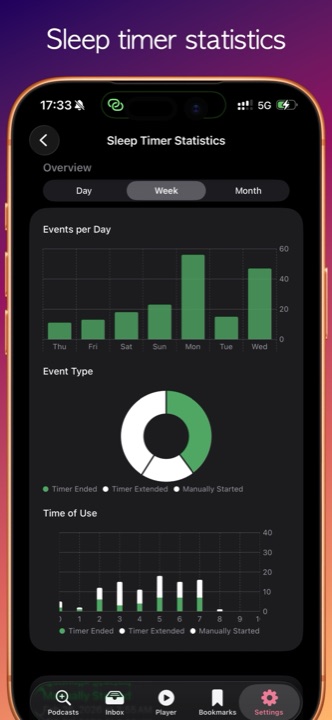
- Review a dedicated history of sleep-timer activity and patterns.
Listening your way
Simple when you want it. Powerful when you need it.
Choose a focused bedtime experience or open the complete podcast toolkit without maintaining two separate libraries.
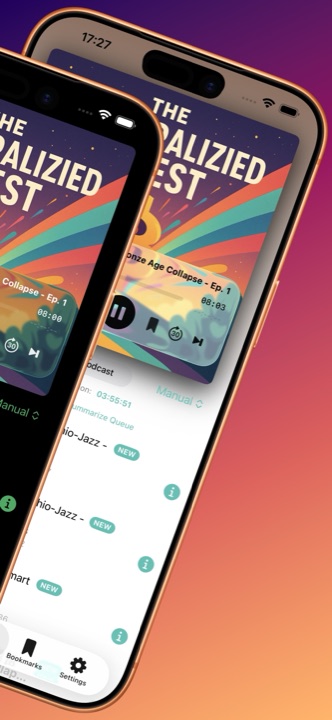
Simple & Expert- Simple mode puts your shows, mini player, downloads, and sleep timer front and center.
- Expert mode adds a full inbox, advanced queue controls, playlists, bookmarks, AI tools, and statistics.
- Switch between your active playlist, Binge Podcast, Play Next, and Remix listening flows.
- Adjust playback speed plus forward and backward skip intervals.
- Jump to podcast-provided chapters and keep progress across sessions.
- Sort, reorder, mark unplayed, move, or remove episodes without breaking your flow.
- Choose automatic queue behavior after an episode finishes.
Playlists & Remix
Build the night you want to hear
Organize individual episodes, follow whole shows, or assemble a new listening experience from podcast chapters.
Expert features- Create, rename, sort, activate, and clear your own playlists.
- Batch-add episodes from your inbox or a podcast archive.
- Auto-follow a show so new episodes are added to a selected playlist.
- Optionally download episodes belonging to chosen playlists.
- Mix chapters and segments from different podcasts into a custom Remix.
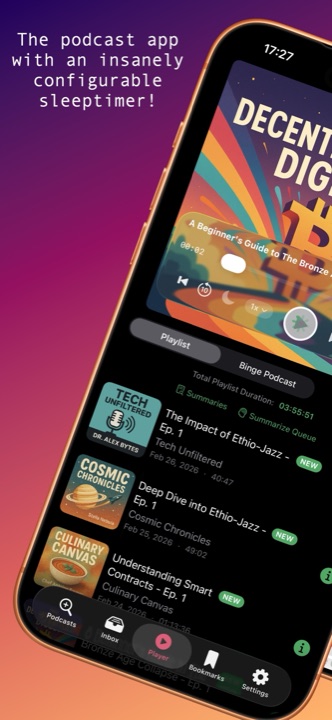
- See total playlist duration and manage episodes from one dedicated tab.
Capture the moment
Bookmarks that remember more than a timestamp
Save an idea without turning on the lights, then return to its audio and words the next morning.
Expert features- Create a bookmark with one tap or an optional volume-button gesture.
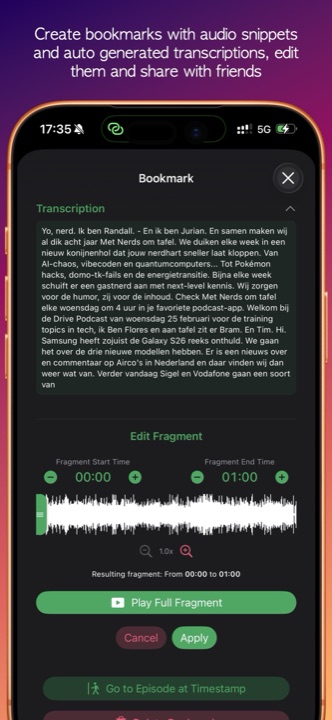
- Capture a configurable audio fragment around the saved moment.
- Trim fragments precisely with a visual waveform editor.
- Transcribe saved audio on device and search across bookmark transcripts.
- Highlight matching transcript text and add personal notes.
- Replay, edit, or share the audio fragment, transcript, and notes.
On-device intelligence
Transcripts and summaries without sending your listening history away
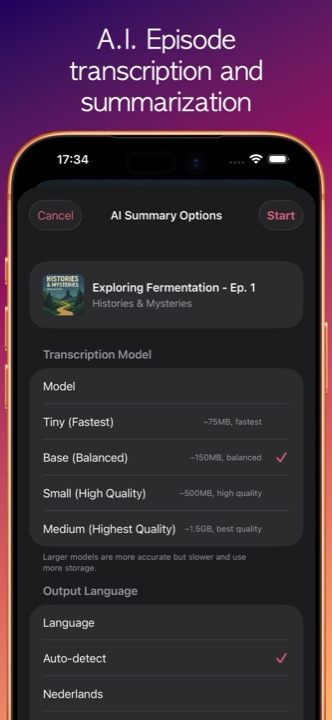
WhisperKit handles transcription on device. Summaries and wake-up recaps use supported on-device Apple intelligence capabilities.
Expert · supported devices- Generate an episode transcript and a concise, searchable summary.
- Choose transcription model size and output language or use automatic detection.
- Queue multiple episodes and optionally process only while connected to power.
- Track progress, cancel work, retry failures, and reuse a completed transcript.
- Search, copy, share, read aloud, delete, or regenerate saved summaries.
- Create a short recap for sleep-timer resume announcements on supported devices.
Library & discovery
Find more. Keep only what matters.
From charts and manual feeds to offline playback, SleepCast covers the everyday work of a serious podcast player.
Simple & Expert- Search podcasts and browse popular shows or episodes by country and genre.
- Subscribe with a direct RSS or Atom feed URL, including compatible private feeds.
- Import or export OPML to move or back up your subscriptions.
- Use a personal inbox for the latest episodes with configurable per-show limits.
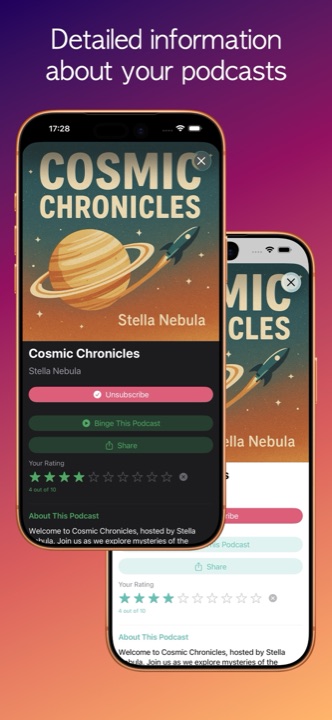
- Rate shows and sort your library using title, recency, rating, subscription date, or manual order.
- Download episodes for offline playback, limit downloads to Wi-Fi, and manage storage.
- Auto-download the latest episode in Simple mode or episodes from selected playlists.
- Load deeper into large podcast archives when choosing downloads.
Insights & personalisation
A player that adapts to your habits and your taste
Review how you listen, refine your nighttime routine, and make the app feel at home on your device.
Simple & Expert- Explore listening time and habits by day, week, month, and year.
- Compare podcasts, categories, start times, and recurring listening patterns.
- Keep sleep-timer statistics separate from general listening analytics.
- Choose light, dark, or system appearance and select from multiple theme palettes.
- Use the app in English, Dutch, German, French, Japanese, Simplified Chinese, or Spanish.
- Replay built-in tutorials for Simple mode, Expert mode, AI tools, and statistics.
Beyond the phone
Useful controls wherever you listen
SleepCast keeps essential playback and episode information close without asking for unnecessary access.
Optional capabilities- Control playback, browse your queue, and open subscriptions through CarPlay.
- Receive configurable new-episode notifications and run an in-app test check.
- Keep sleep-timer status visible with Lock Screen and Dynamic Island Live Activities.
- Use optional speed-sensitive volume for cycling or driving.
- Smooth sudden volume spikes with configurable real-time audio suppression.
Human support
Have a question about a feature?
The support guide covers setup and common issues. If your question is not there, send us an email.